Pinterest Marketing for Beginners — The Complete Traffic Guide
The complete Pinterest marketing for beginners guide — account setup, keyword research, pin design, posting schedule, and what to expect from your traffic month by month.
PINTEREST MARKETING FOR BEGINNERS
Ava
7/10/20263 min read
Pinterest Marketing for Beginners — The Complete Traffic Guide
Most people think Pinterest is about recipes and home decor. That misunderstanding is costing beginners one of the most powerful free traffic engines available in 2026. Pinterest has over 500 million monthly users who are actively searching for solutions, not passively scrolling through entertainment. In this Pinterest marketing for beginner’s guide, you will learn exactly how to set up your account, create pins that get found, and build traffic that compounds over time.
Why Pinterest Marketing Works Differently for Beginners
Pinterest is a search engine, not a social media platform. This distinction is the most important thing a beginner can understand. On Instagram or TikTok, your content needs to interrupt someone who was not looking for you. On Pinterest, your content appears to someone who is actively searching for exactly what you offer.
This means you do not need an existing following to get traffic from Pinterest. A brand new account with zero followers can appear in search results alongside accounts with a million followers, if the SEO signals are stronger. This is the Pinterest advantage that most beginners in the online income niche are not yet exploiting.
Pinterest Marketing for Beginners — Account Setup Done Right
Before you post a single pin, your account needs to be set up for search visibility. Most beginners skip this step and spend months wondering why their pins are not being found.
Display Name Optimisation
Do not use just your brand name. Add your primary keyword after it. For example, MyHustleSpark, AI Tools and Online Income for Beginners. Pinterest indexes display names in search. This one change makes your profile more discoverable immediately.
Board Naming for Search Visibility
Your board names are searchable keyword fields. Category labels like Email Marketing or Content Creation are invisible in search because nobody types those exact phrases. Search phrases like Email List Building for Beginners or How to Create Content Faster Using AI are findable because they match real searches. Rename every board to match an actual search query your audience would type.
Bio Written for Search
Write your bio using natural search language. Include your two or three most important keyword phrases in complete sentences. Think less about sounding clever and more about sounding like something someone would actually type into the search bar.
Pinterest SEO for Beginners — The Keyword Research Strategy
Finding the right keywords for Pinterest marketing beginners is straightforward and free. Open Pinterest. Type the start of a question in your topic area and stop. Read the autocomplete suggestions, these are real searches happening right now. Click the coloured keyword bubbles that appear after your search for long-tail variations.
Write down ten keywords from this process. These become the foundation of your pin titles, descriptions, and board names. Specifically, your primary keyword should appear in the first sentence of every pin description, because Pinterest reads the first fifty characters first when deciding who to show your pin to.
How to Create Pinterest Pins That Drive Traffic
The Image Headline Formula
Your image headline is the text overlaid on the pin design in Canva. It does one job, stop the scroll. Five to eight words. A specific claim, a curiosity gap, or a counterintuitive statement. Never reveal the how on the image. The pin creates the question. Your website answers it.
For example, rather than How to Build an Email List for Free, use something like The Free Tool That Replaced My $79 Monthly Email Platform. The first tells the viewer everything. The second creates a reason to click.
The Pin Title Formula
Your pin title is the SEO field in Pinterest. Keep it between 45 and 65 characters. Front-load the primary keyword in the first 30 to 35 characters. Use natural conversational language rather than keyword-stuffed phrases.
The Pin Description Structure
Your pin description should be 150 to 200 characters. First sentence contains your primary keyword naturally. Second sentence provides supporting context or proof. Third sentence is a short CTA with a link destination. That is the entire structure.
How Often to Post on Pinterest as a Beginner
Pinterest marketing for beginners requires consistency above everything else. The recommended starting frequency is three to five fresh pins per day. Fresh means a completely new image, not a repin of an existing design.
However, rather than posting them all at once, space them across morning, midday, evening, and night. This covers your Western audience across US, UK, Canada, and Australia time zones simultaneously. Use Pinterest's free native scheduler or Tailwind to batch a week of pins in one session on Monday.
What Pinterest Traffic Looks Like Month by Month
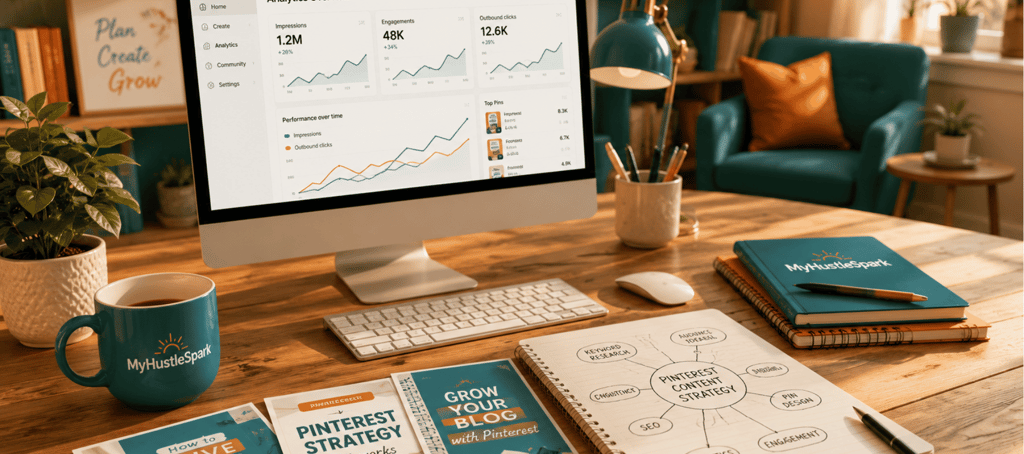
Month one of Pinterest marketing for beginners will feel slow. Impressions are building. The algorithm is learning your account. Saves are minimal. Do not judge the platform here.
Month three is where the shift begins. Old pins start appearing in search results. Saves accumulate. Daily visitors begin arriving consistently. Month six onwards, Pinterest becomes a genuine compounding traffic source, old pins still driving visitors alongside new ones.
Download the free starter kit to get the complete Pinterest strategy, keyword research method, and content calendar in one guide.
Explore
MyHustleSpark helps beginners use AI tools and simple systems to start smarter online without hype.
Connect
Support
© 2026 MyHustleSpark. All rights reserved.
MyHustleSpark may earn commissions from affiliate links at no extra cost to you. No income results are guaranteed.